
Upload file
Click on the "More Functions" button at the bottom right corner, and then click "Upload" in the pop-up box.
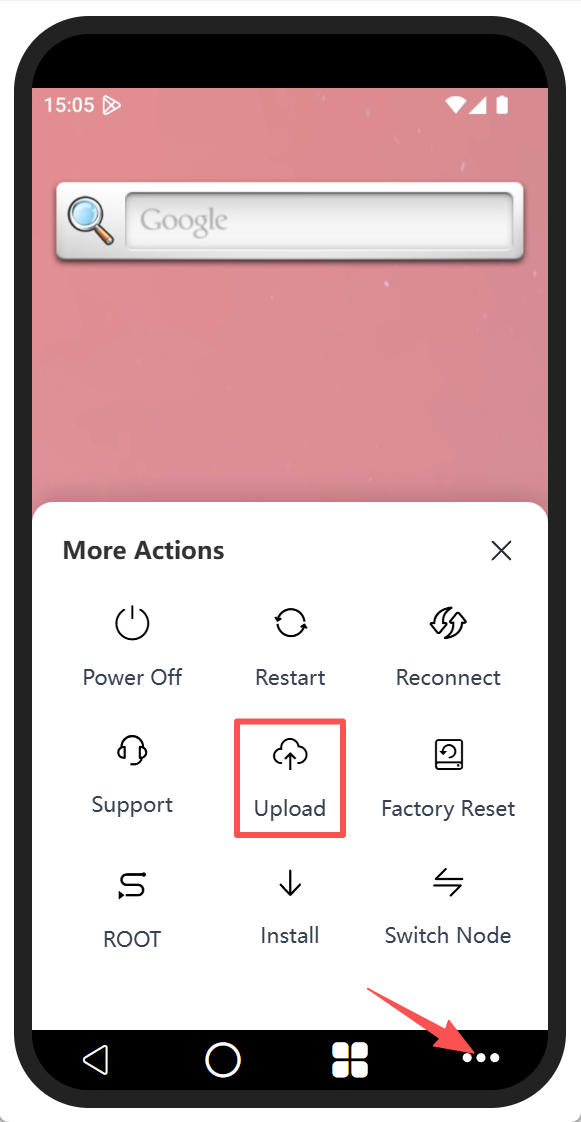
Select the corresponding file for upload. After the upload is successful, there will be a success message at the bottom.
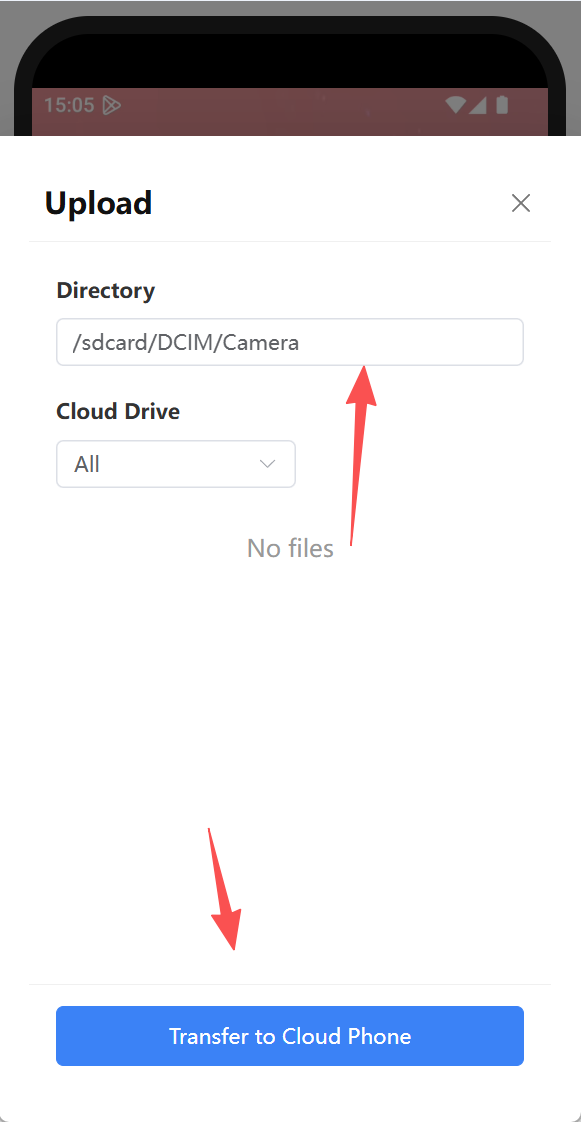
When uploading a file, if a file with the same name and type already exists in the cloud phone, the system will automatically name the new file as "original file name + number". For example, if the uploaded file is named "Cloud Mobile File", the system will rename it as "Cloud Mobile File 1".