Sharing Function
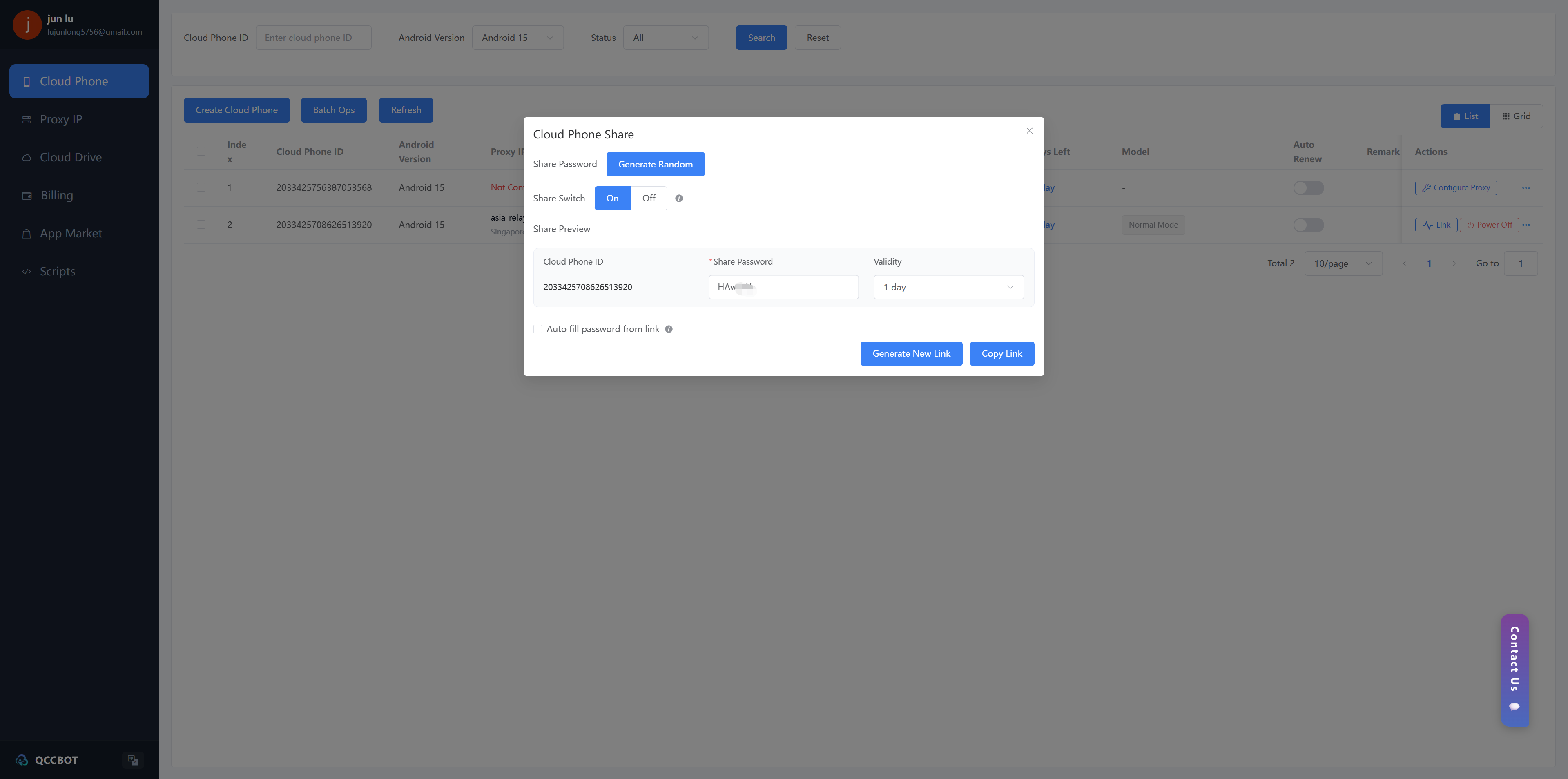
Click the "..." button in the "Operation" column of the target cloud phone. In the pop-up operation menu, select "Share".
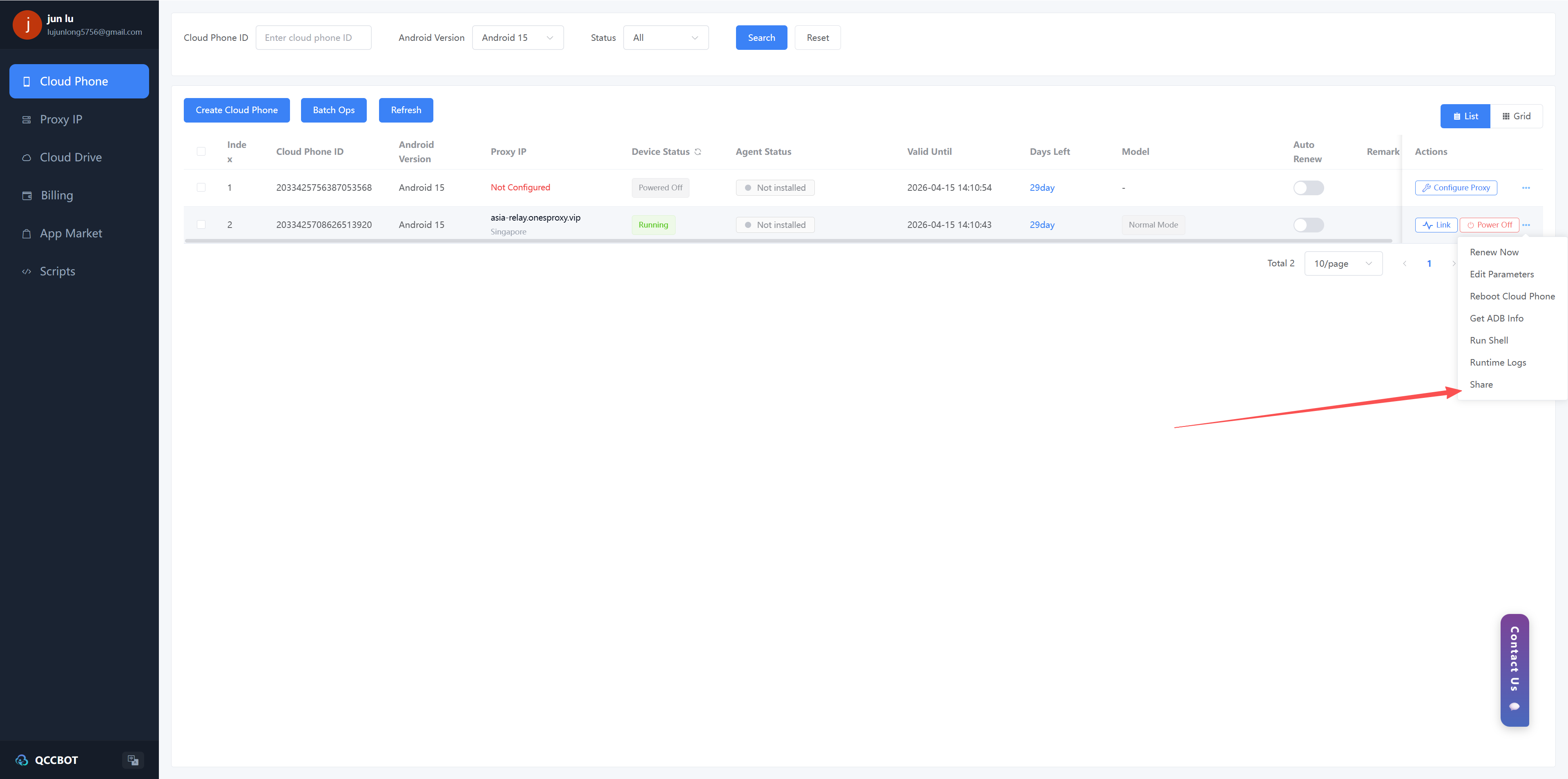
1、Pop up the "Cloud Mobile Sharing" window:
Share Password**: The system generates it automatically, or it can be customized.
Validity Period: Specify the number of days for which the sharing link is valid.
2、Options:
Share Switch: Turn on or off sharing.
Share Lock Password Auto-Fill: Check as needed.
The system will generate a sharing link. Click on "Generate New Link" to update the sharing link. Click on "Copy Link" to copy the link and send it to others for use. Before generating a new link each time, the old link will become invalid. Please keep the sharing password and link safe to prevent unauthorized access.